Database Selection & Paths
Unlike the Central module, the OPAC does not automatically show all databases. You must explicitly "publish" them.
Access: OPAC Configuration > Databases
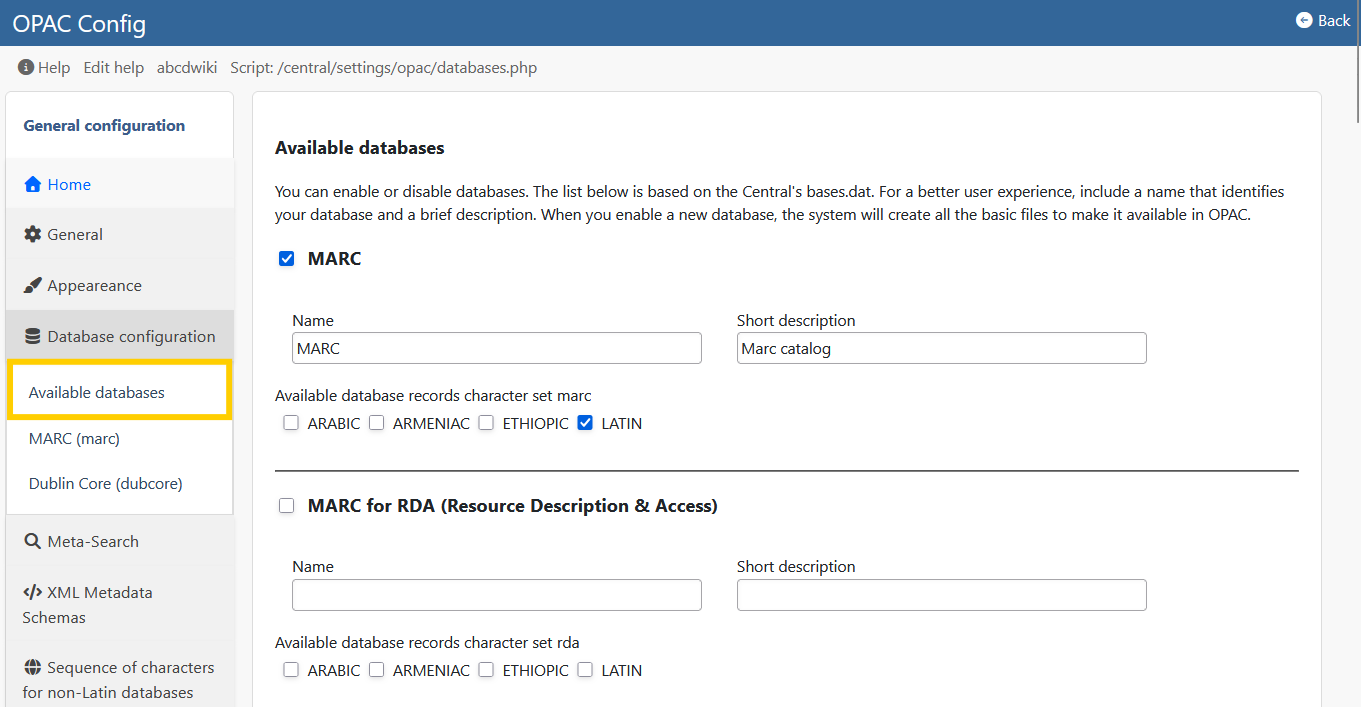
1. Available Databases
Use the "Available Databases" option to create the list of catalogs visible to the public.
- Add: Select a database from the server and give it a public name (e.g., "Main Collection").
- Hide: Remove a database from this list to make it invisible in the OPAC, even if it exists on the server.
2. Database Paths (dr_path.def)
The OPAC needs to know exactly where the images and full-text files for each database are stored. This is configured in the DR_PATH (Digital Resources Path).
- ROOT: The physical path on the server disk (e.g.,
/var/www/html/ABCD/bases/books/). - HTTP: The web URL equivalent (e.g.,
/docs/books/).
Broken Images?
If book covers or PDFs are not showing up in the OPAC, it is almost always a configuration error in dr_path.def. Ensure the HTTP path matches your Apache/Virtual Host aliases.
3. Record Export
You can configure which formats are available for users to download records (ISO 2709, RIS, Word).