Content & Layout Management
The ABCD OPAC acts as a lightweight Content Management System (CMS). Instead of storing page content in a database, it uses small HTML snippets (extension .info or .html) located in bases/opac_conf/[lang]/.
You can edit these files via the OPAC Configuration interface or directly with a text editor.
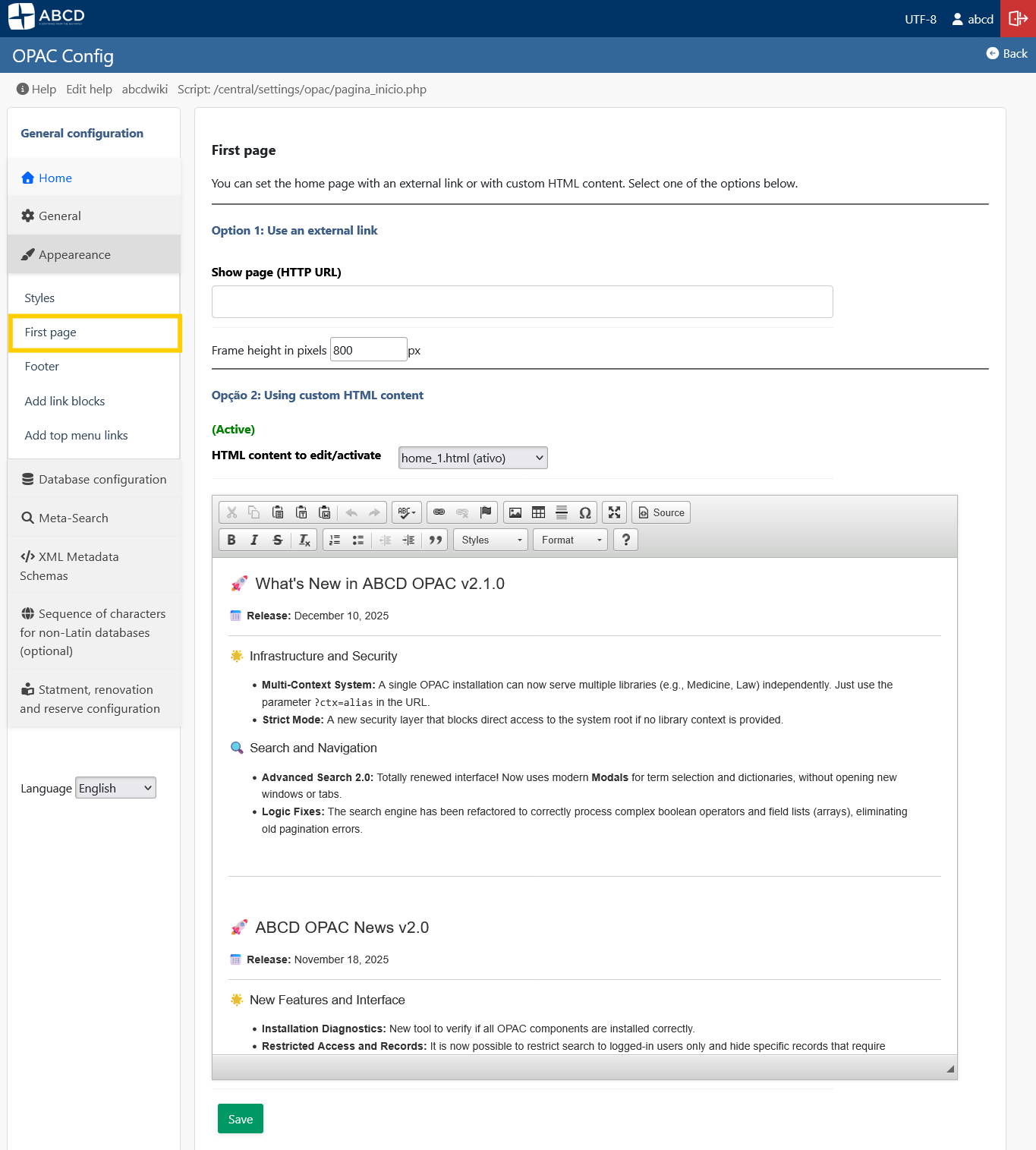
1. The Home Page (home_1.html)
The main area of the landing page is not hardcoded. It loads home_1.html (or home_2.html, etc., if configured).
- Usage: Use this file to add welcome messages, library news, carousels, or links to external services.
- Format: Standard HTML. You can use Bootstrap classes (e.g.,
<div class="alert alert-info">) since the OPAC loads Bootstrap by default.
2. Sidebar Widgets (side_bar.info)
The sidebar (usually on the left or right) is constructed from the side_bar.info file.
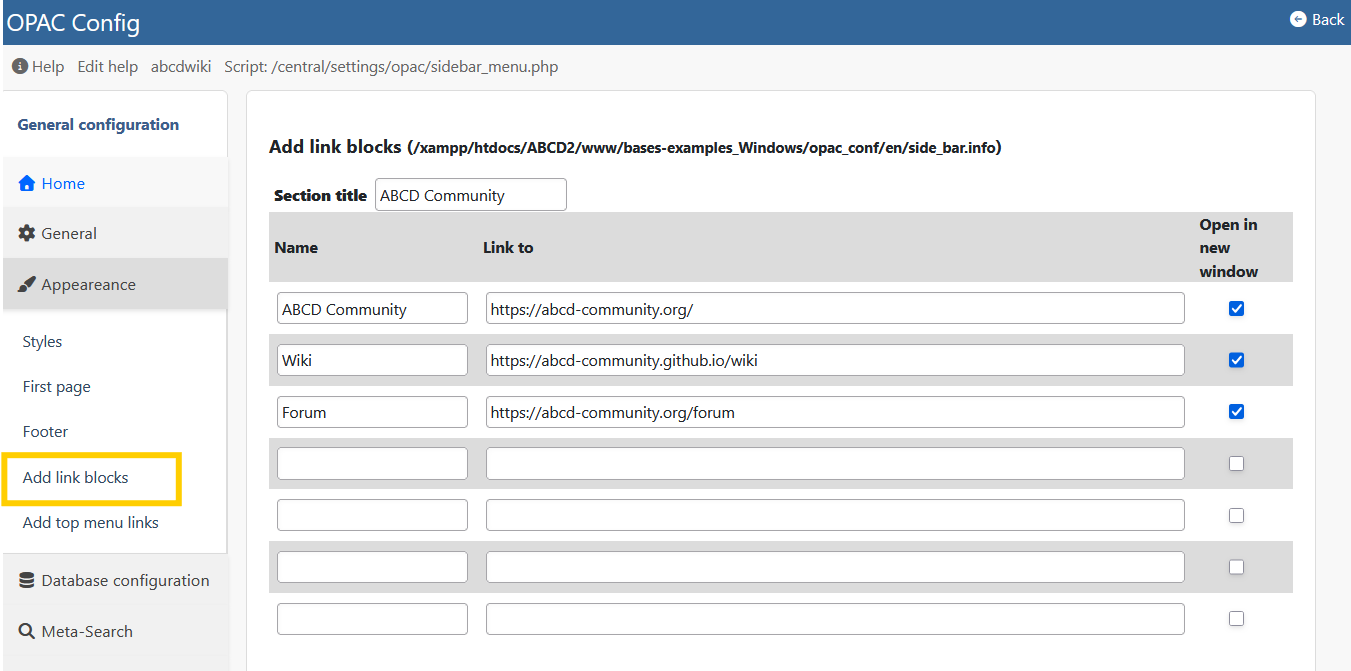
Syntax:
Heading Title
[LINK]Label|URL|target
[HTML]<div class="widget">Custom Content</div>
- Links: Create simple navigation menus.
- HTML: Embed widgets like "Chat with a Librarian" or social media feeds.
3. Footer and Header
-
Footer (
footer.info): Allows you to insert HTML columns for addresses, contact info, and copyright notices.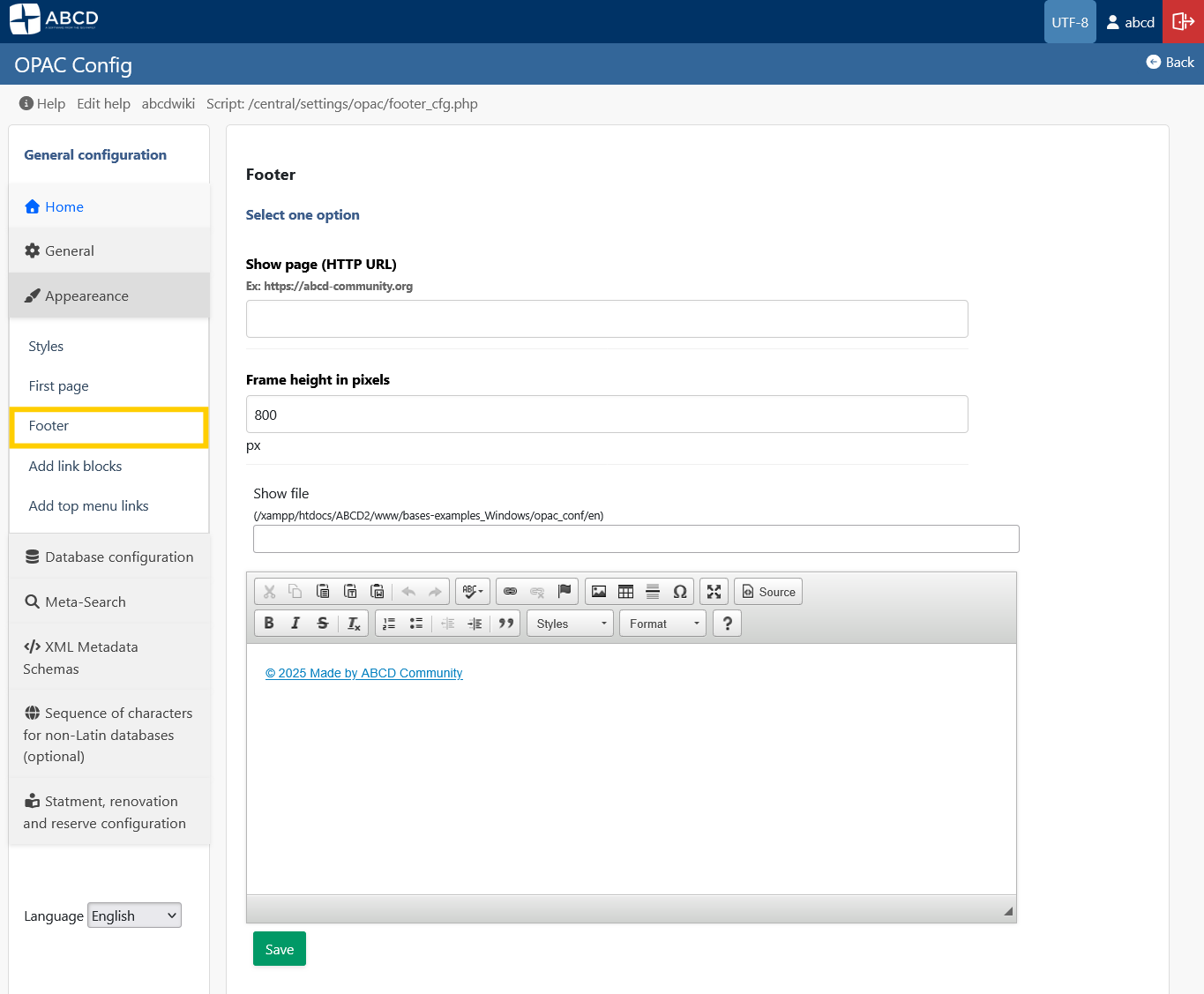
-
Top Bar (
menu.info): Controls the links in the top navigation bar (e.g., "Home", "Help", "Contact").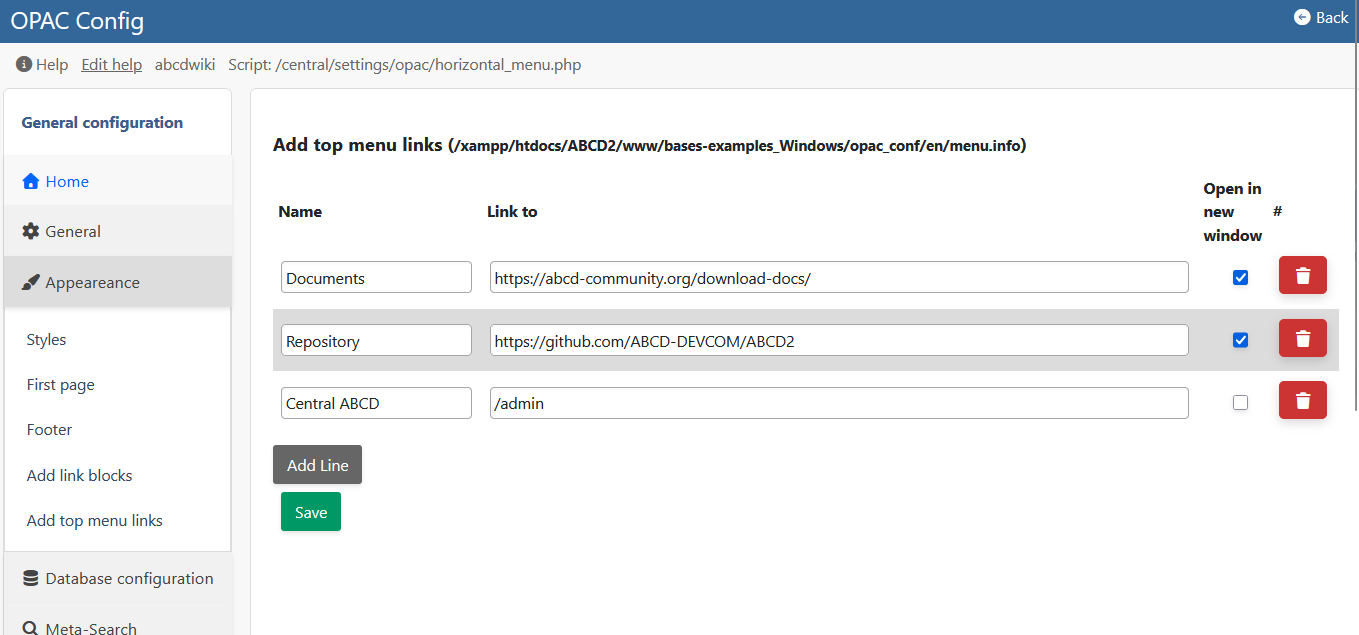
4. Helper Pages (wiki_help.php)
The OPAC can display "Help" or "About" pages without creating new PHP files.
- Mechanism: It looks for text files in the
opac_conf/[lang]/folder. - Example: If you create a file named
about.txt, you can link to it aswiki_help.php?wiki=about.