OPAC Configuration Overview
The ABCD OPAC (Online Public Access Catalog) is the public face of your library. While cataloging happens in the Central module, the OPAC is where users search and retrieve information.
The Configuration Dashboard
The OPAC is highly customizable. Almost every aspect—from the logo to the search filters—can be managed without writing code.
Access:
- Log in to the Central Module as a Superuser.
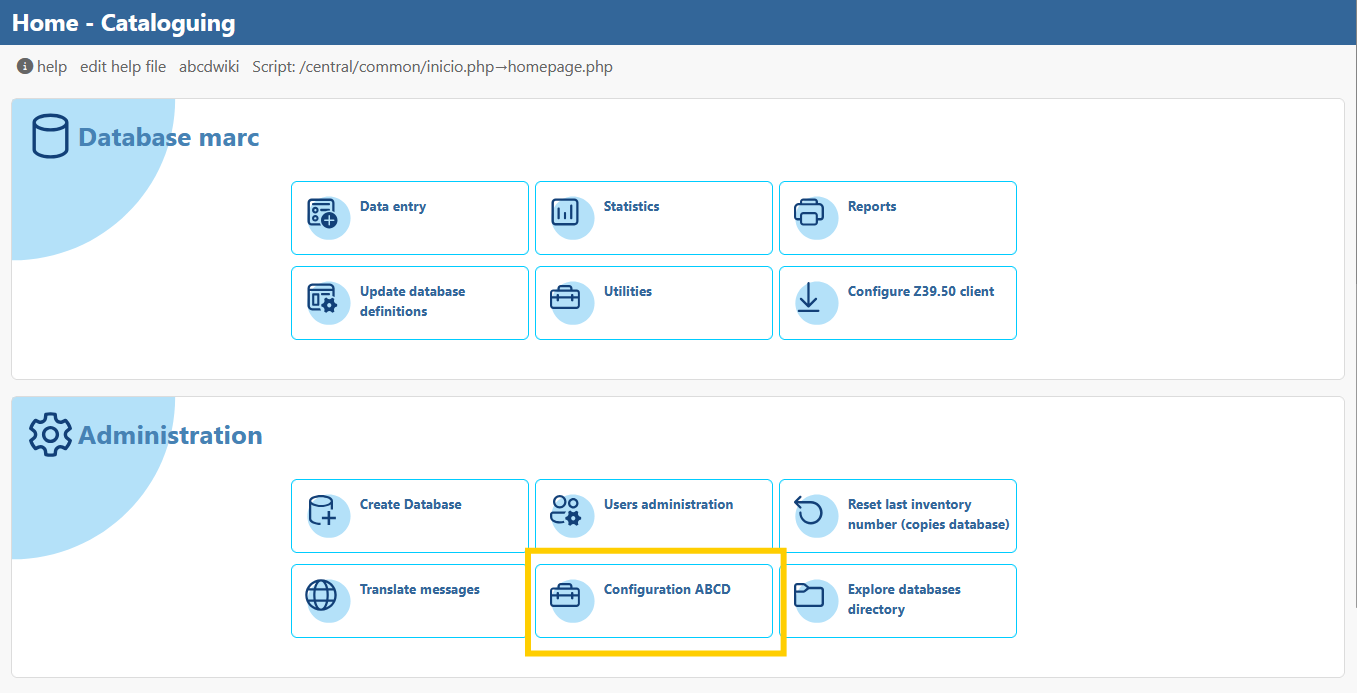
- Go to OPAC Configuration (usually an icon in the main toolbar or a menu option).
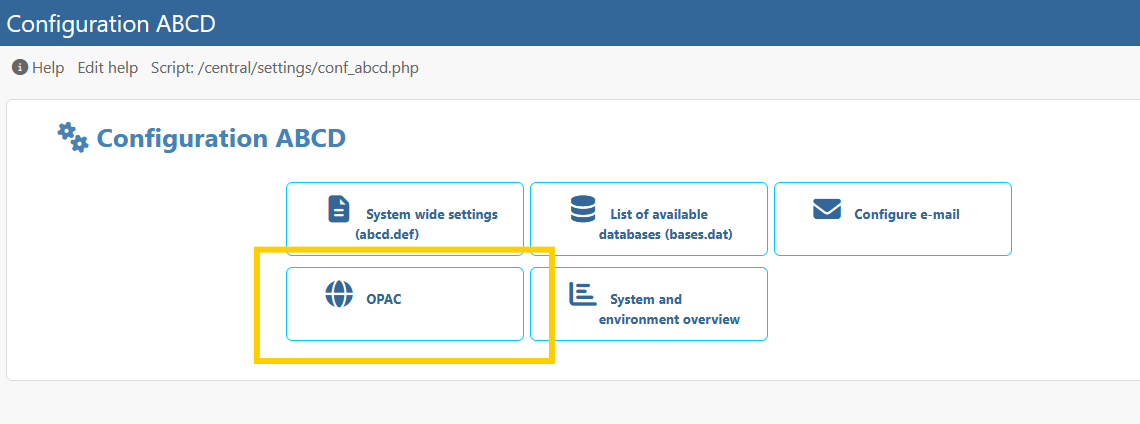
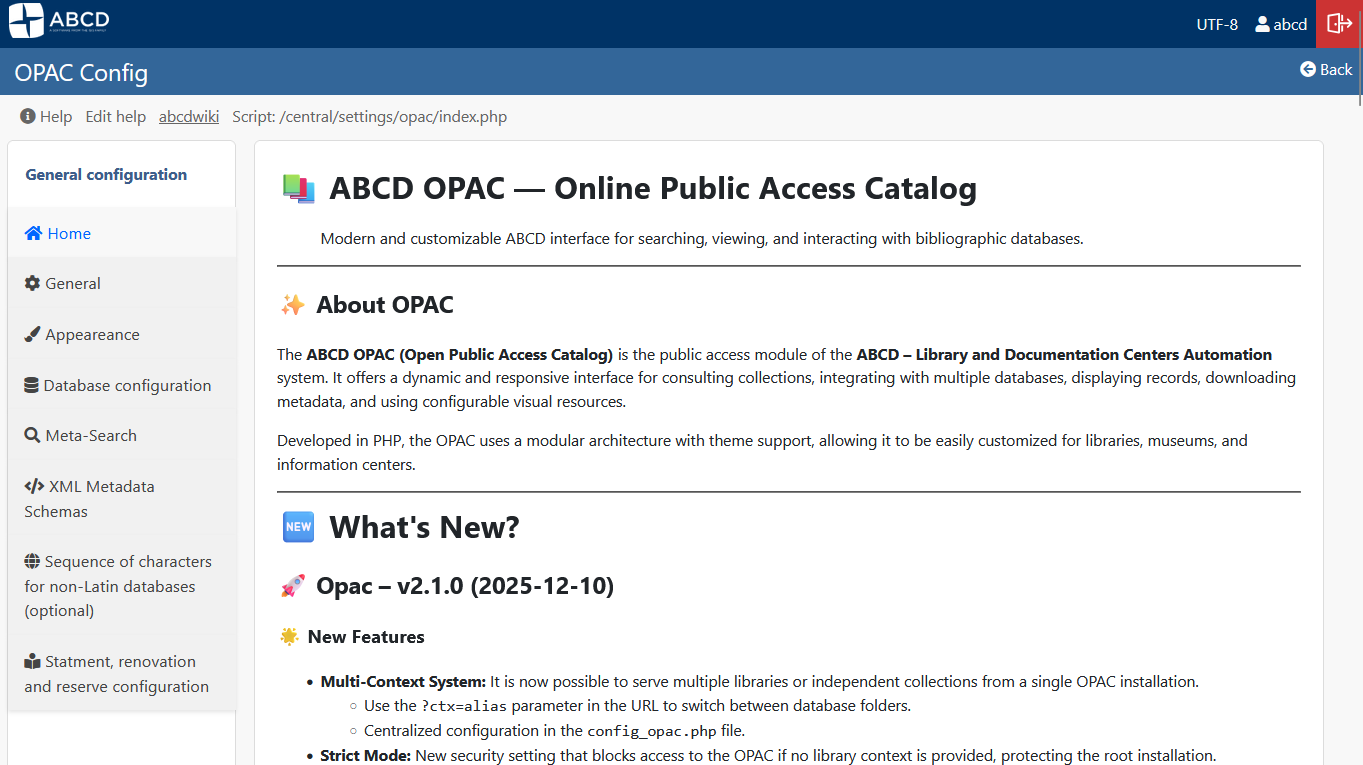
- This opens the OPAC Back-Office (
conf_opac_menu.php).
Key Configuration Areas
The configuration menu is divided into logical sections:
- General Configuration: Define the visual identity (Logo, Title) and global behavior (Languages, Charsets).
- Databases: Select which databases are published to the OPAC and define their paths.
- Search & Display: Configure how users find records (Facets, Advanced Search) and how results look (PFTs).
- Info & Layout: Manage the sidebar menus, footer, and informational pages (About, Help).
info
Changes made in this module affect the opac.def and *.def files located in the bases/opac/ folder.