ABCD 3.3.0 Technical Release Notes

We are pleased to announce the release of ABCD 3.3.0. This release focuses heavily on hardening the codebase against security vulnerabilities, introducing native DevOps tools for system administrators, and improving PHP 8.x compatibility.
This post details the technical implementation of these features and the necessary server configurations for upgrading.
Security Hardening
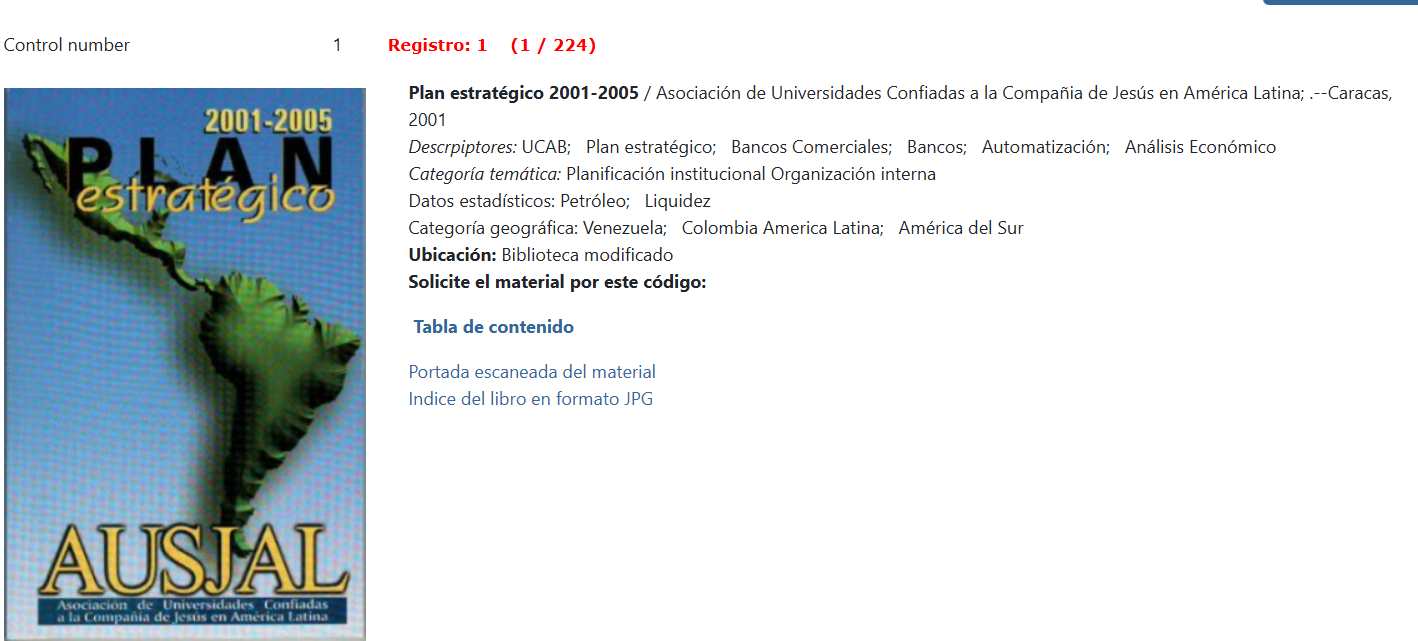
Digital Object Handling (show_image.php)
The mechanism for serving digital objects (images, PDFs) has been refactored to mitigate Path Traversal vulnerabilities and ensure stricter access control.
- Session Validation: The script now explicitly validates
isset($_SESSION["permiso"])before serving any content, preventing unauthenticated access to restricted assets. - Path Traversal Prevention: We introduced a strict check using
realpath()to ensure the requested resource resides within the authorized base directory.// Security implementation in show_image.php$base_dir = realpath($image_path);$real_requested_path = realpath($requested_path);if ($real_requested_path === false || strpos($real_requested_path, $base_dir) !== 0) {die("Access denied");} - HTTP_REFERRER Checks: Added logic to validate the request origin, reducing the risk of hotlinking or CSRF attacks.
Database Portability (%path_database%)
To facilitate containerization (Docker) and server migrations, we introduced the %path_database% wildcard variable. This allows the dr_path.def configuration to use relative paths instead of hardcoded absolute paths, decoupling the database configuration from the server filesystem.
New System Administration Tools
Version 3.3.0 introduces three new PHP modules located in htdocs/central/settings/ (or dbadmin), reducing reliance on shell access.
1. Native Backup Manager
File: admin_backup.php
Path: Configuration ABCD > Backup
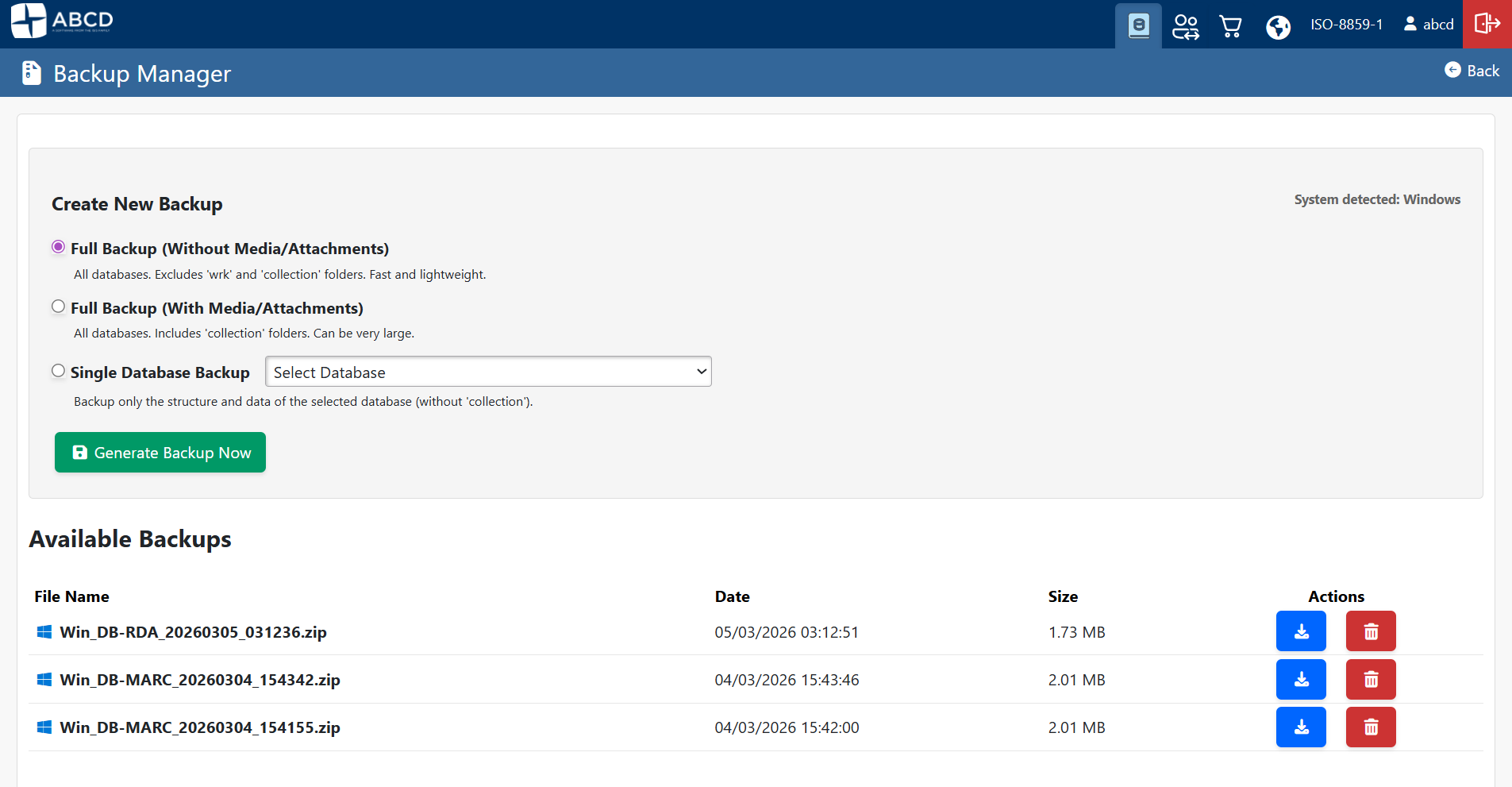
This module implements a Zip-based backup strategy directly from the PHP interface. It utilizes the ZipArchive class and RecursiveIteratorIterator to handle directory traversal efficiently.
- Storage Path: Backups are strictly generated in
$db_path . "wrk/backups/"to separate them from standard database operations and ISO exports. - OS Tagging: The script detects the underlying OS via
PHP_OSand prefixes the filename (e.g.,Lin_FULL_NOMEDIA...ziporWin_FULL...). This is crucial for troubleshooting case-sensitivity issues during restoration. - Memory Management: The script overrides execution limits using
set_time_limit(0)andini_set('memory_limit', '1024M')to handle largecollectiondirectories.
:::warning Prerequisite
The php-zip extension must be enabled in your php.ini for this module to function.
:::
2. Cross-Platform Database Converter (Crunchmf)
File: db_convert_crunchmf.php
Path: Select database > Menu Utilities > Export/Import > Operating System Converter (Crunchmf)
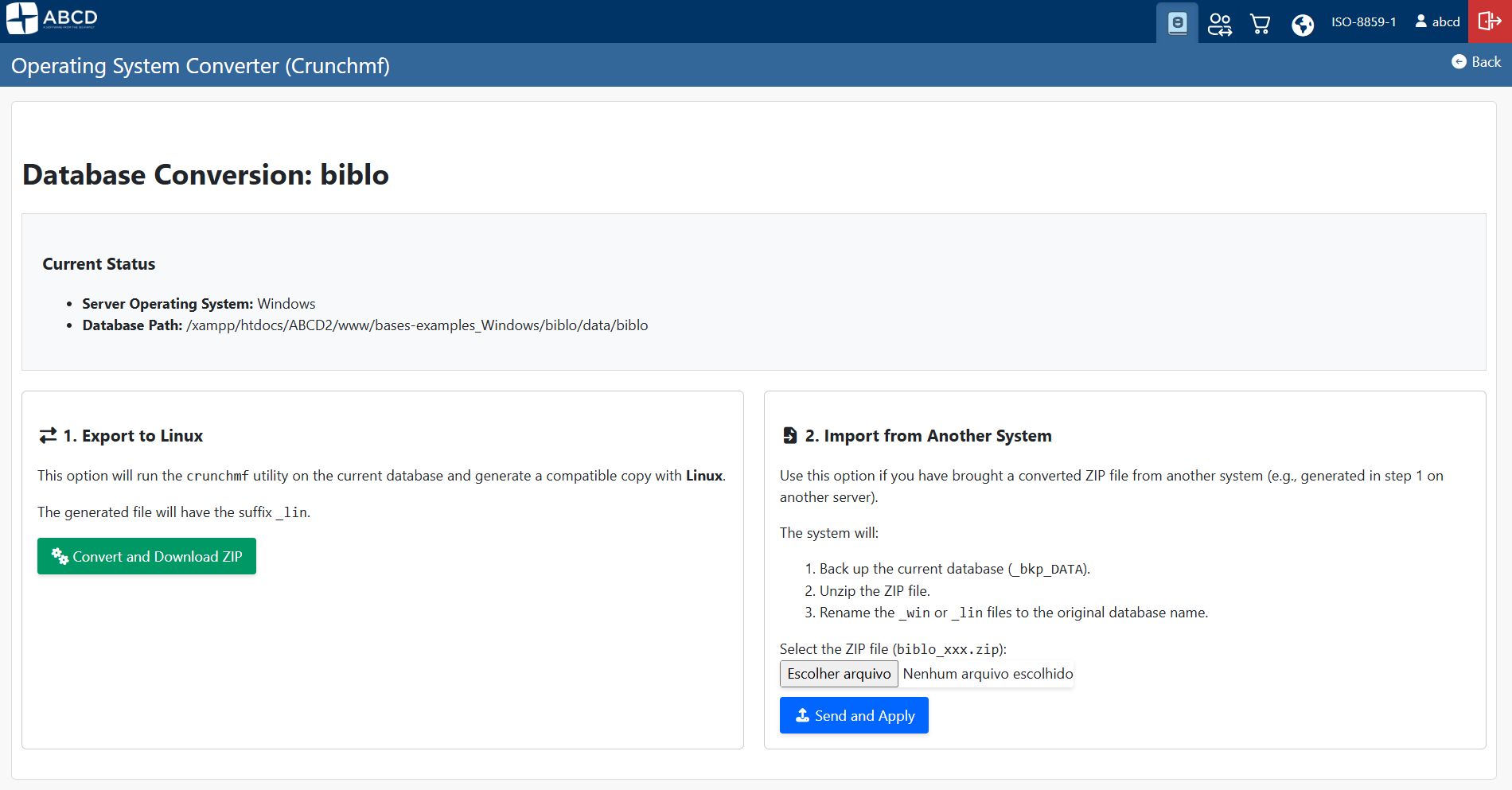
Migrating CISIS databases between Windows (Little Endian) and Linux (Big Endian) architectures typically requires command-line intervention. We have wrapped the crunchmf utility in a PHP interface to automate this.
- Workflow:
- Export: Executes
$cisis_path/crunchmf source_db target_db_suffix. - Packaging: Zips the resulting
.mstand.xrffiles immediately. - Sanitization: Cleans up temporary
.mst/.xrffiles after zipping to save space.
- Export: Executes
- Import: Automatically backs up the existing database (appends
_bkp_TIMESTAMP) before overwriting with the converted version.
3. Server-Side Log Viewer
File: admin_logs.php
Path: Configuration ABCD > PHP Error Log
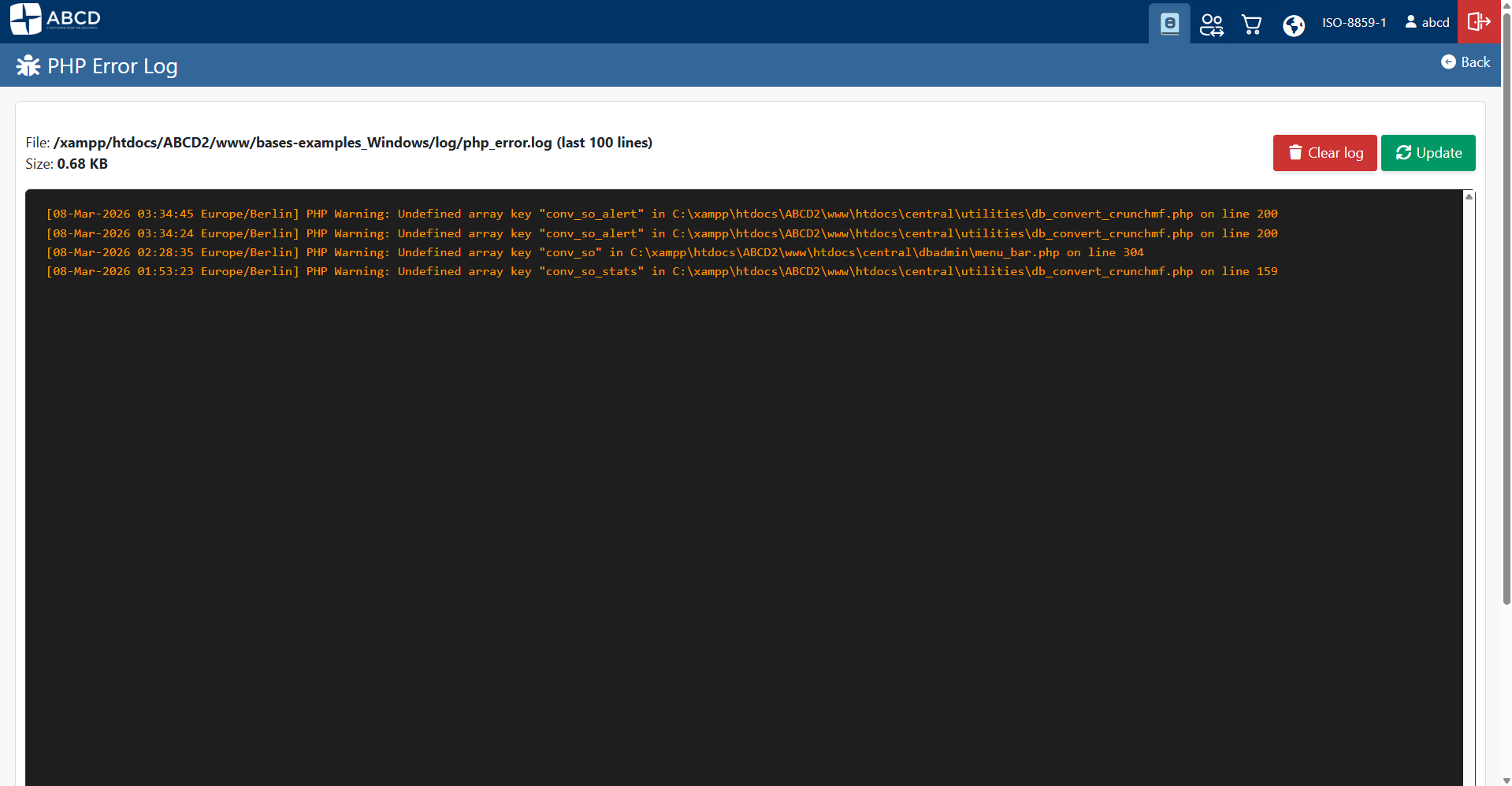
A robust viewer for PHP error logs has been added. It features a custom tailCustom() function that reads files from the end (using fseek and SEEK_END), allowing it to handle large log files without memory exhaustion.
Configuration Requirements
Enabling the Log Viewer
To make the Log Viewer functional, you must explicitly define the log path in your main config.php. The system expects logs to be written to bases/log/.
Add the following block to your config.php:
// Sets the path to ABCD's own log folder.
$log_folder = $db_path . "log/";

if (!is_dir($log_folder)) {
    mkdir($log_folder, 0777, true);
}

$php_error_log = $log_folder . "php_error.log";

// Forces PHP to log errors to this specific file
ini_set('log_errors', 1);
ini_set('error_log', $php_error_log);
UI/UX & OPAC Enhancements
- Bootstrap Integration: The OPAC now supports the CEPAL model database with a dedicated
opac.pfttemplate styled with Bootstrap. - PHP 8 Compatibility: Polyfills for functions like
str_containshave been added to the OPAC codebase to ensure compatibility with PHP 8.0+ environments. - Refactored Navigation: The main configuration menu (
conf_abcd.php) has been reorganized. The language selector was moved to the footer, and module buttons are now persistent.
Upgrade Path
- Backup: Perform a full file-system backup.
- Update Files: Overwrite the
htdocsdirectory with the 3.3.0 source. - Dependencies: Verify
php-zipis installed. - Config: Update
config.phpwith the logging directives shown above. - Permissions: Ensure the web server user has write permissions to
bases/wrk/andbases/log/.